

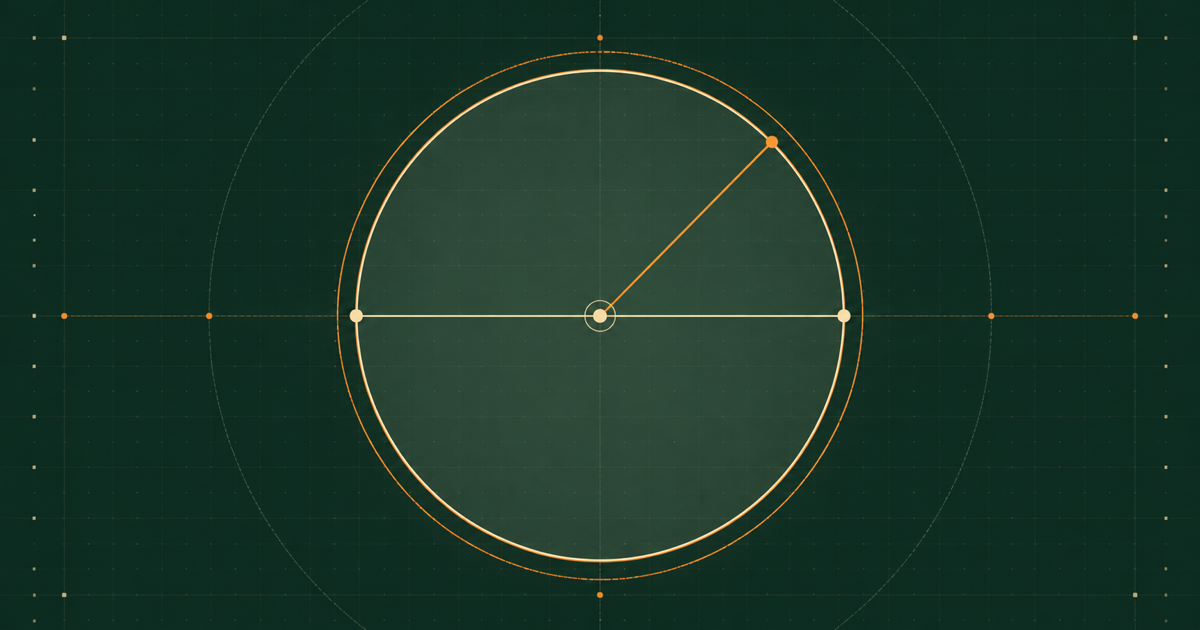
A complete circle is determined by any one positive radius, diameter, circumference, or area. The important step is to convert the known measurement back to radius without mixing linear and squared units; every other result then follows from the same geometry. This guide gives the forward and inverse formulas, solves a circumference-first example exactly, and shows independent checks for catching input, unit, and rounding mistakes.
Quick answer: calculate a circle from one known value
Let r be radius, d be diameter, C be circumference, and A be area. Choose the row for the value you know. Each row converts that measurement to the same underlying radius and then derives the remaining quantities.
| Known | Radius r | Diameter d | Circumference C | Area A |
|---|---|---|---|---|
| Radius r | r | d = 2r | C = 2πr | A = πr² |
| Diameter d | r = d ÷ 2 | d | C = πd | A = πd² ÷ 4 |
| Circumference C | r = C ÷ 2π | d = C ÷ π | C | A = C² ÷ 4π |
| Area A | r = √(A ÷ π) | d = 2√(A ÷ π) | C = 2√(πA) | A |
What radius, diameter, circumference, and area measure
The four values describe two different kinds of quantity. Radius, diameter, and circumference are lengths. Area measures the two-dimensional region inside the circumference, so it uses a squared unit. The formulas remain simple when those roles are kept separate.
- Radius r is the straight distance from the center to any point on the circle.
- Diameter d is the straight distance across the circle through its center, so it contains two radii.
- Circumference C is the curved distance once around the outside boundary.
- Area A is the amount of flat region enclosed by the circumference.
The constant π is the ratio C/d for every ideal circle. That is why circumference is proportional to a length, while area uses π times the square of radius. Doubling a circle’s radius doubles its diameter and circumference but makes its area four times as large.
Keep length units and squared area units consistent
| Quantity | Dimension | Example when radius is in cm |
|---|---|---|
| Radius r | Length | cm |
| Diameter d | Length | cm |
| Circumference C | Length | cm |
| Area A | Area | cm² |
If the known value is 50 cm of circumference, the derived radius and diameter are also in centimetres and the derived area is in square centimetres. If the known value is 200 cm² of area, the square root in r = √(A ÷ π) returns a length in centimetres.
Calculate circumference and area from radius or diameter
Radius is the most direct starting value. Double it for diameter, multiply it by 2π for circumference, and square it before multiplying by π for area. When diameter is known, divide by two for radius or use the equivalent diameter formulas directly.
Diameter from radius
d = 2rA diameter runs from one side of the circle to the other through the center, so it contains exactly two radii.Circumference from radius or diameter
C = 2πr = πdBoth forms describe the same boundary length because d = 2r.Area from radius or diameter
A = πr² = πd² ÷ 4Substituting r = d/2 into πr² produces the diameter form πd²/4.For example, a radius of 8 cm gives d = 16 cm, C = 16π cm ≈ 50.2655 cm, and A = 64π cm² ≈ 201.0619 cm². The area uses 8², not 16², unless the diameter form is divided by four.
Reverse-calculate radius, diameter, and area from circumference
Circumference is often measured by wrapping a tape around a circular object. Because C = 2πr = πd, divide the measured boundary by 2π for radius or by π for diameter. Area can then be calculated from the radius, or directly from the circumference.
Radius from circumference
r = C ÷ 2πUndo the multiplication by 2π in the circumference formula.Diameter from circumference
d = C ÷ πCircumference divided by π returns the diameter directly.Area from circumference
A = C² ÷ 4πSubstitute r = C/(2π) into A = πr² and simplify before rounding.Reverse-calculate radius, diameter, and circumference from area
Area contains a squared radius, so the inverse calculation requires a square root. Divide area by π, take the positive square root for radius, and derive diameter and circumference from that radius. A negative root is not used because geometric length is non-negative.
Radius from area
r = √(A ÷ π)Divide by π to isolate r², then take the positive square root.Diameter from area
d = 2√(A ÷ π)Double the recovered radius to obtain the full center-crossing length.Circumference from area
C = 2√(πA)Substitute r = √(A/π) into C = 2πr and simplify.If a drawing gives the area of a ring or a sector rather than a complete disk, these inverse formulas do not apply to that partial region. Use the Annulus & Ring Area Calculator for a circular hole, or the Sector Calculator when a central angle limits the area.
Worked example: start with a circumference of 50 cm
Suppose the complete circumference is 50 cm. Keep the exact expressions in terms of π until the final display. This preserves one consistent circle across all three derived measurements.
Calculate radius
r = 50 ÷ 2π = 25 ÷ π cm ≈ 7.9577 cmDivide circumference by 2π; the exact radius is 25/π centimetres.Calculate diameter
d = 50 ÷ π cm ≈ 15.9155 cmEither divide circumference by π or double the unrounded radius.Calculate area
A = 50² ÷ 4π = 625 ÷ π cm² ≈ 198.9437 cm²Use the circumference-to-area formula so the input is squared once and π remains exact until the final result.| Quantity | Exact result | Decimal result |
|---|---|---|
| Radius | 25 ÷ π cm | 7.9577 cm |
| Diameter | 50 ÷ π cm | 15.9155 cm |
| Circumference | 50 cm | 50 cm |
| Area | 625 ÷ π cm² | 198.9437 cm² |
Independent checks for a complete-circle calculation
- Diameter check: verify d = 2r with the unrounded radius.
- Circumference check: verify both C = 2πr and C = πd return the known boundary.
- Area check: compare A = πr² with the independent form A = C²/(4π).
- Ratio check: C/d should equal π before display rounding.
- Dimension check: radius, diameter, and circumference are linear; area is squared.
For the 50 cm example, 2π × (25/π) = 50 cm and π × (50/π) = 50 cm. The area check gives π × (25/π)² = 625/π cm², exactly matching C²/(4π). These checks use equivalent formulas but expose different entry or rounding errors.
Common radius, circumference, and area mistakes
- Using a full diameter as r and making the area four times too large.
- Dividing circumference by π and calling the result radius instead of diameter.
- Forgetting the square root when recovering radius from area.
- Writing a circle area in cm instead of cm², or a circumference in cm² instead of cm.
- Rounding π to 3.14 or rounding an intermediate radius before deriving the other values.
- Mixing millimetres and centimetres without converting the input first.
- Treating an arc, semicircle boundary, sector, segment, or ring as a complete circle.
- Assuming extra displayed decimals are more accurate than the original measurement.
- Using zero or a negative number as a physical circle measurement.
These formulas describe ideal geometry. A real part may also require allowance for material thickness, kerf, coating, deformation, manufacturing tolerance, or safety requirements. Keep those practical adjustments separate from the mathematical conversion.
Calculate all four values in one transparent workflow
Use the free browser Circle Calculator to start with radius, diameter, circumference, or area. Enter one positive value, choose its unit label and displayed precision, and compare all four results. The calculation uses full floating-point precision internally and updates the derived values from the chosen input.
Use a specialized tool once the region stops being a complete disk. The worked arc-length guide handles a curved portion, the sector guide handles two radii and an angle, and the ring-area guide handles an outer disk with an inner circular opening.
On iPhone or Android, Circle Calculator provides the same one-known-value circle workflow for radius, diameter, circumference, and area. The store buttons below record only an outbound visit. An outbound visit is not counted as an installation, subscription, or purchase, and current availability and purchase terms remain in your device’s store.
Keep the circle with you
Continue in Circle Calculator.
On iPhone or Android, start with radius, diameter, circumference, or area and calculate the other circle measurements in a focused mobile workflow. The store buttons record only an outbound visit; that is not an installation, subscription, or purchase. Current availability and purchase terms appear in your device’s store.